Trusted address book:
After trusted addresses are configured, users do not need to go through the regular verification process, which includes SMS verification code, email verification code, Google/Gate authenticator code and fund password. Please make sure that the addresses are absolutely safe before adding them to the address book.
How to whitelist withdrawal addresses on app:
-
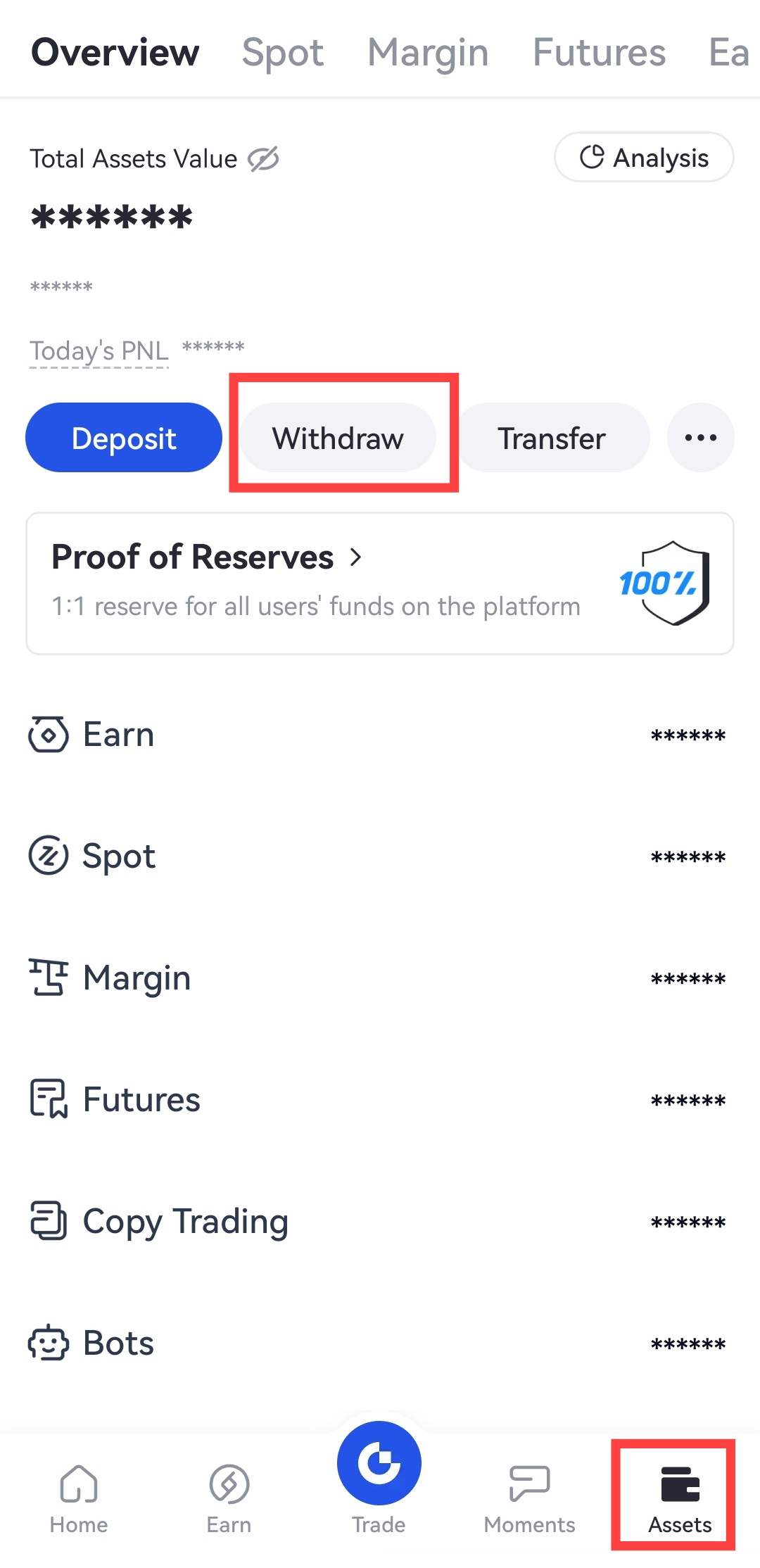
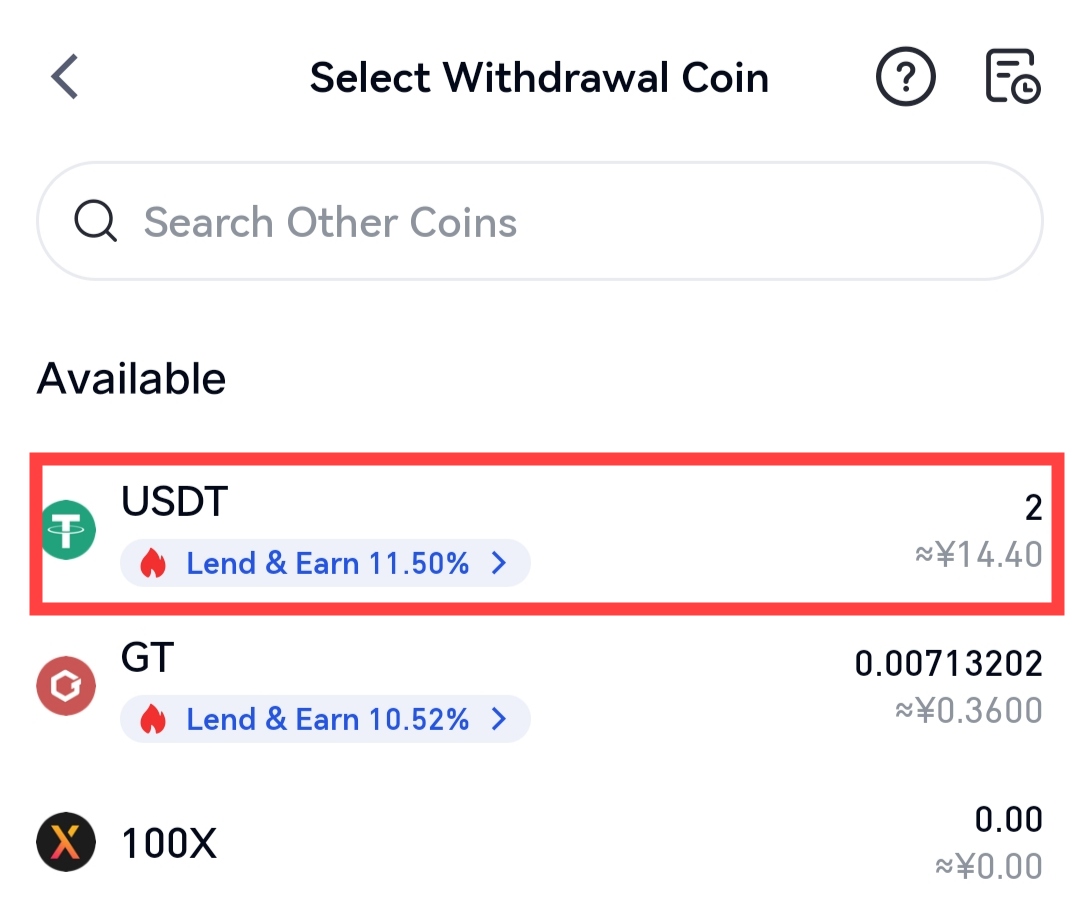
Open Gate mobile app and log into your account. Go to "Assets" - "Withdraw" and select a coin.
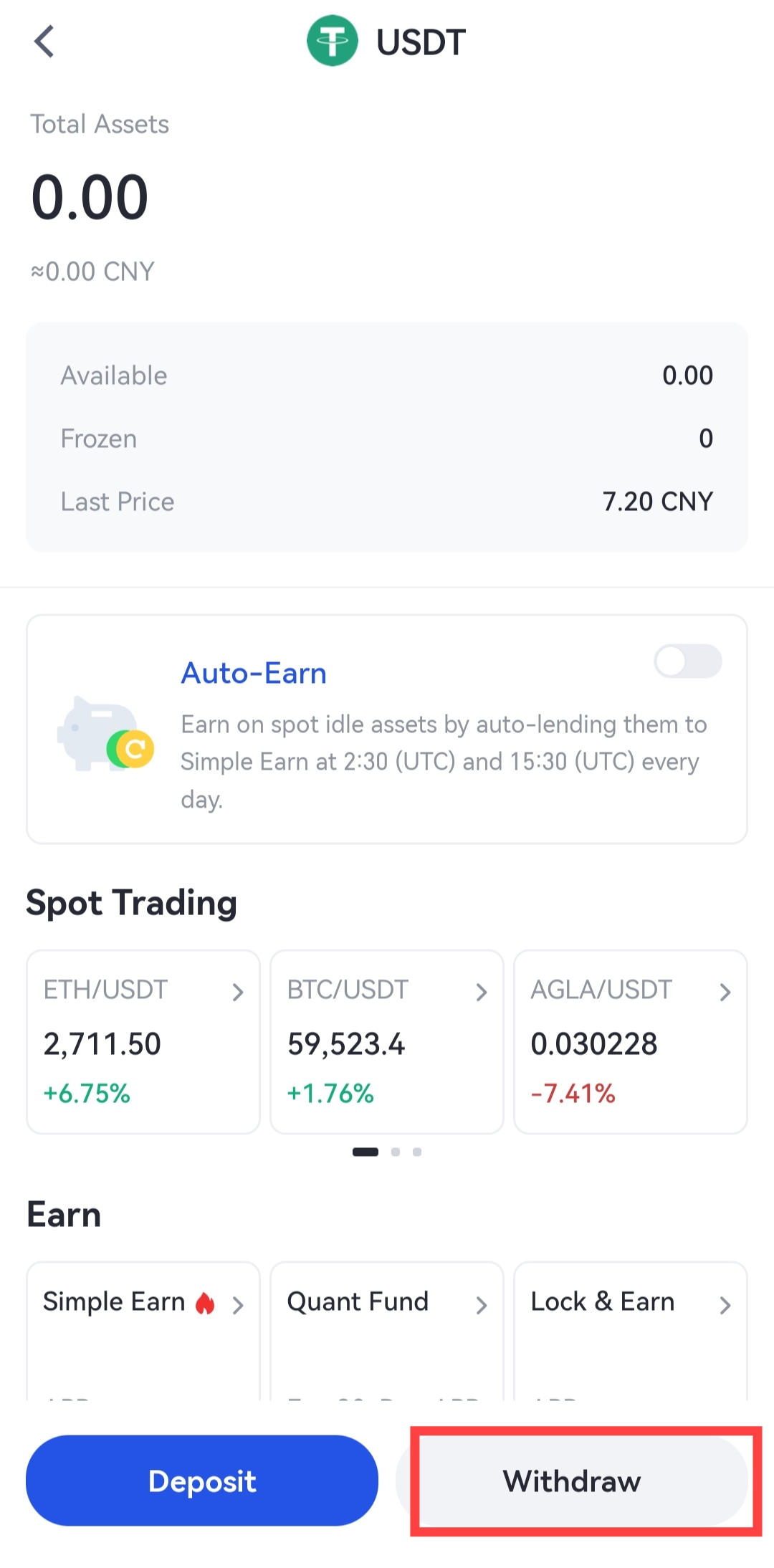
Alternatively, you can go to "Spot Account", search the coin you want to withdraw in the search box, and then click on "Withdraw" at the bottom of the coin.
-
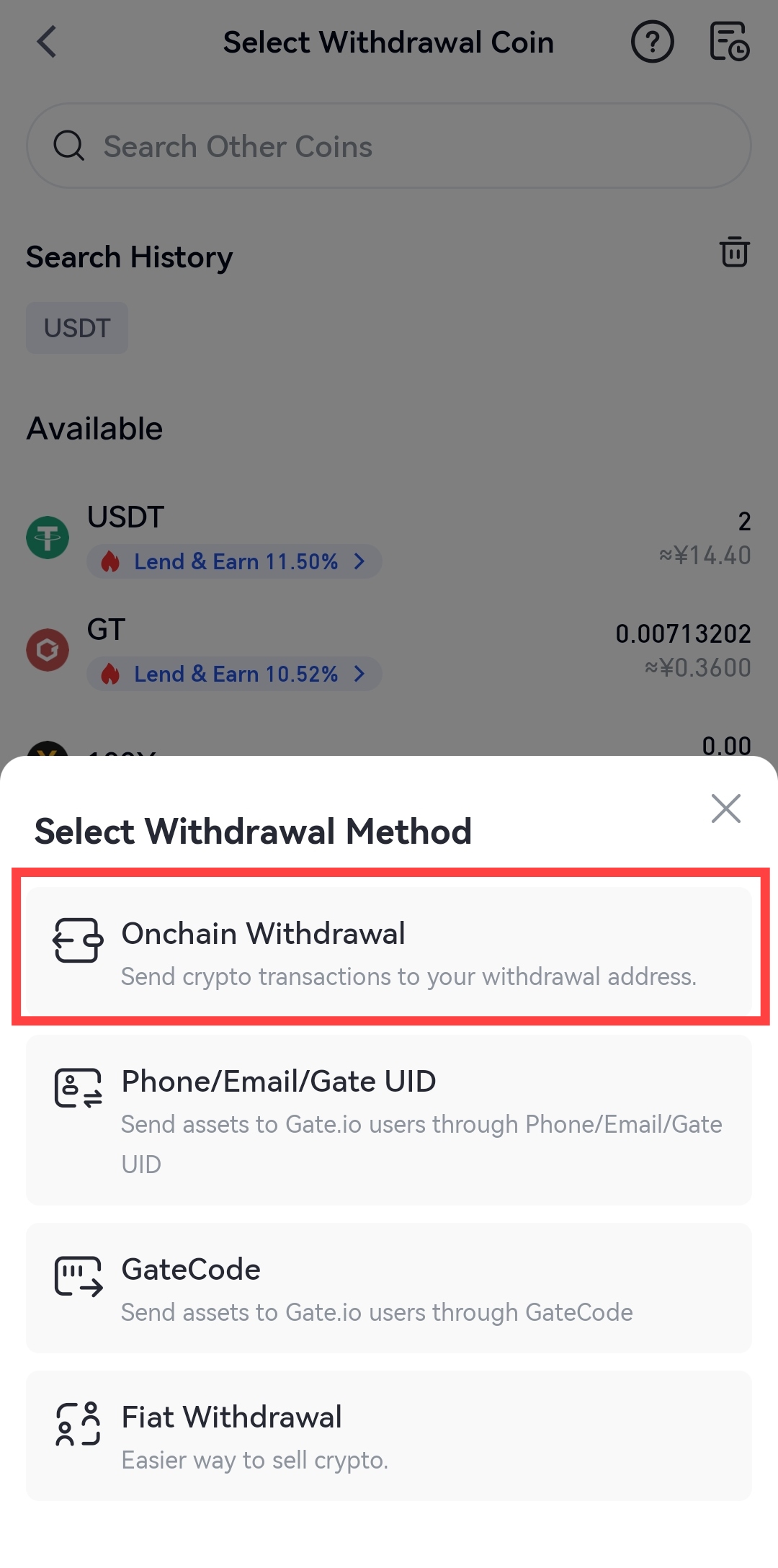
Select "Onchain Withdrawal", then select a network.
-
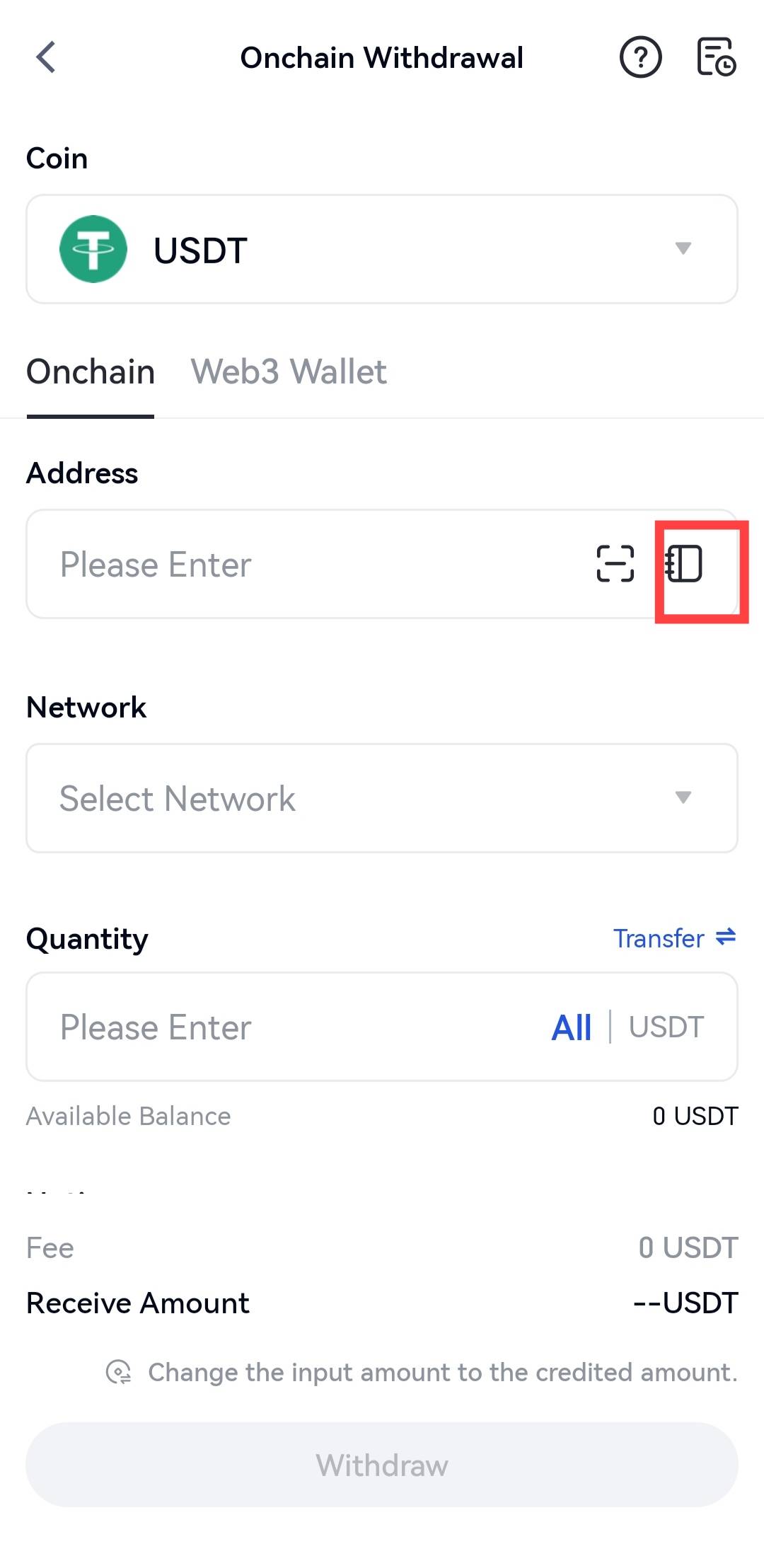
Click on "Address Book".
-
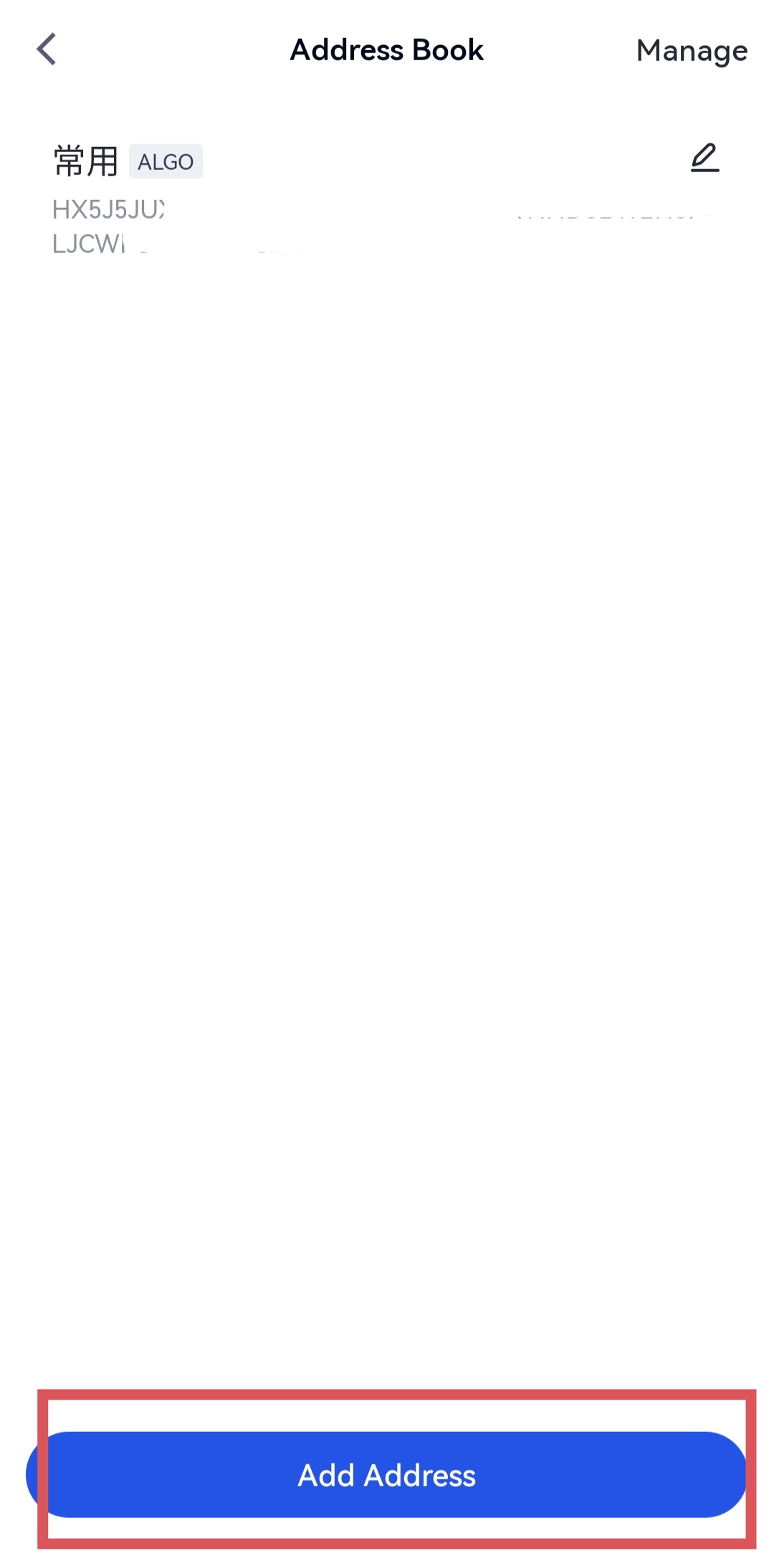
Click on "Add address" on the "Address Book" page.
-
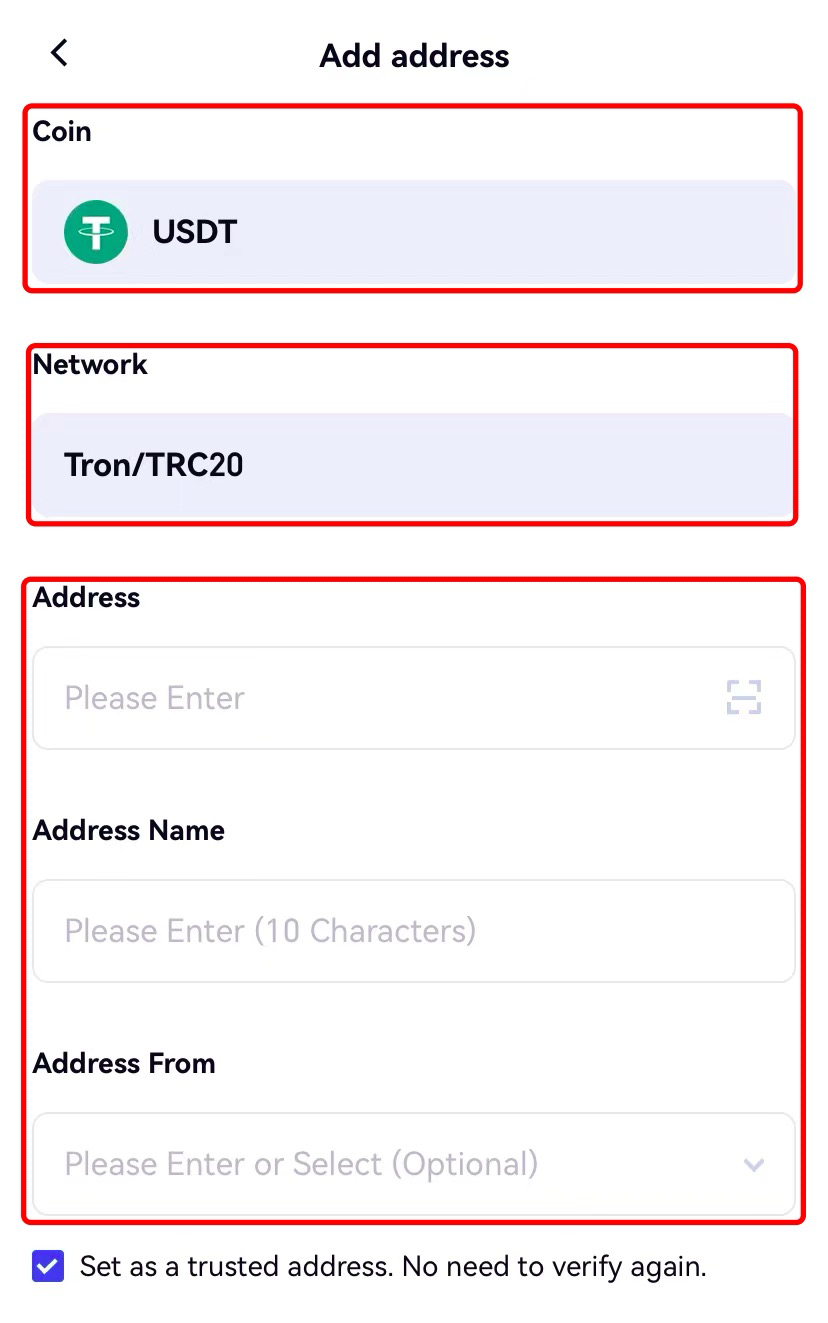
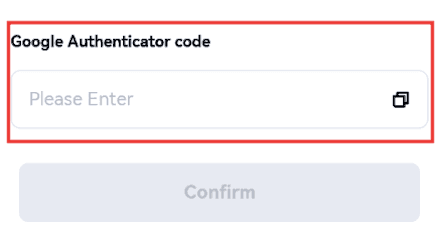
Double-check whether you have selected the correct coin and network. Then enter the address, address name, Google authenticator code, etc. Check the "Set as a trusted address. No need to verify again" box, and click "Confirm".
-
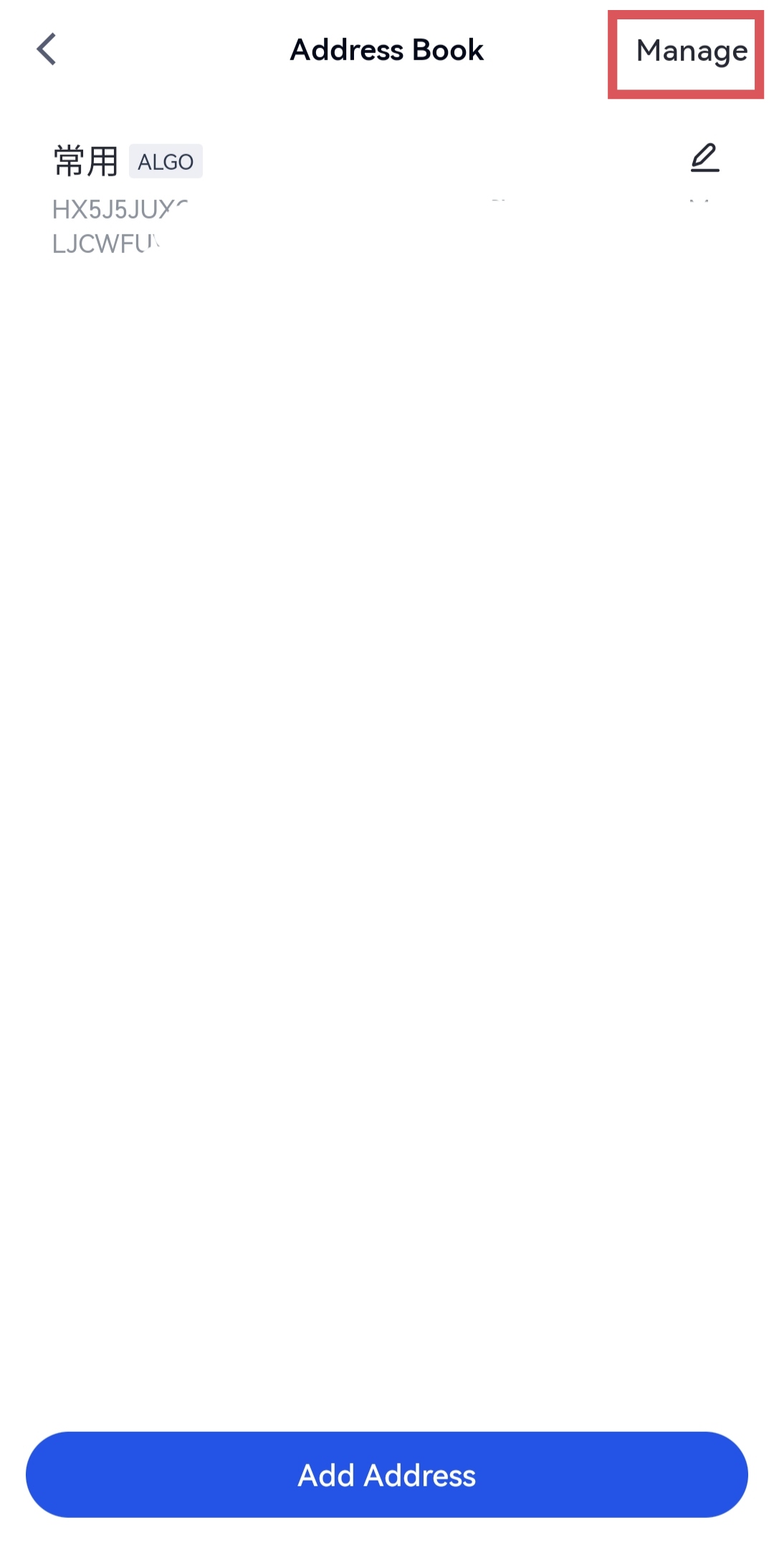
Once the address is successfully added, you can view it in the address book. If you want to delete an address, just click Manage in the upper-right corner. If you would like to add more addresses, you can follow the steps above once again.
Disclaimer
This page may refer to products, services, or features that are not offered by Gate Dubai. Such content is for general information purposes only and does not constitute, and shall not be construed as, an offer or solicitation by Gate Dubai. Gate Dubai users should rely only on products and services expressly made available on the Gate Dubai platform.
