Step 1: Access the Identity Verification Page
- Log in to your Gate account.
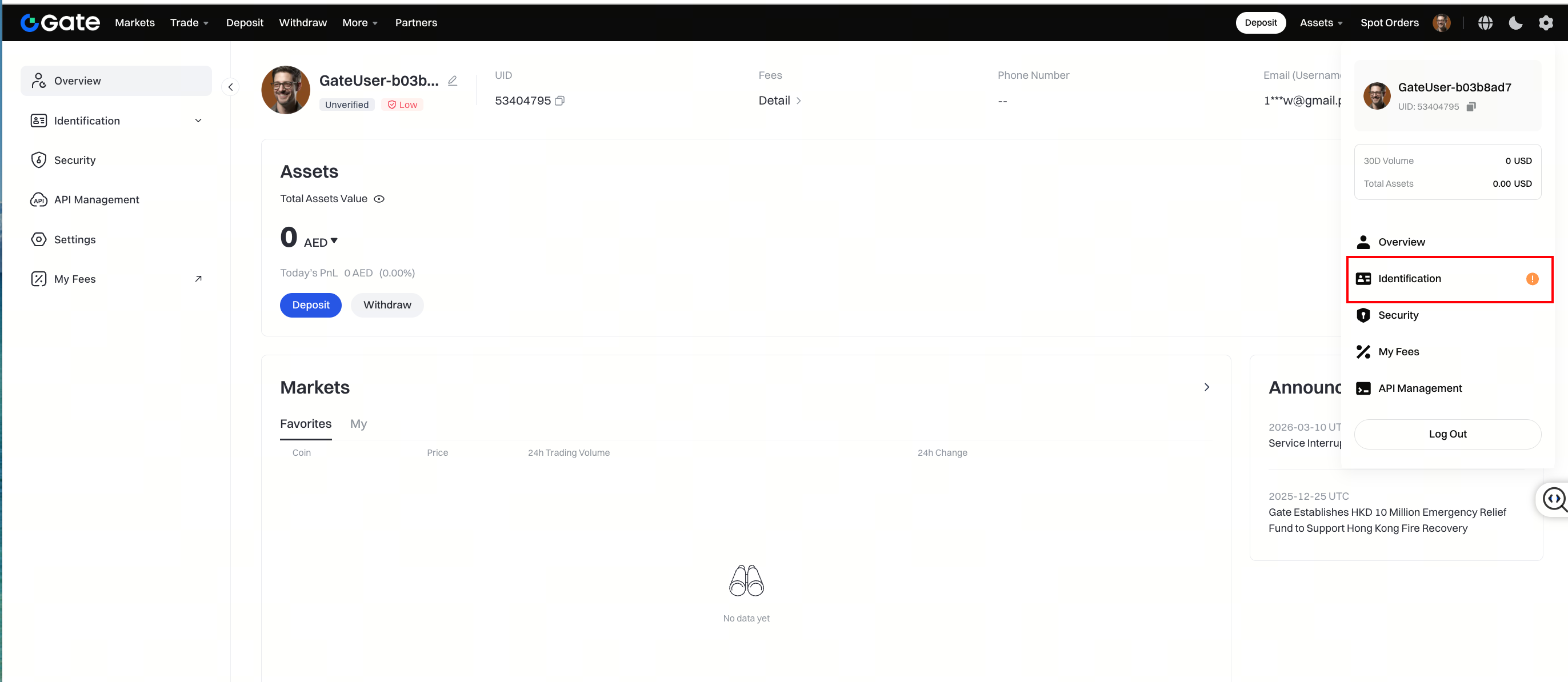
- Navigate to [Avatar] – [Identification] – [Individual/Entity Verification].
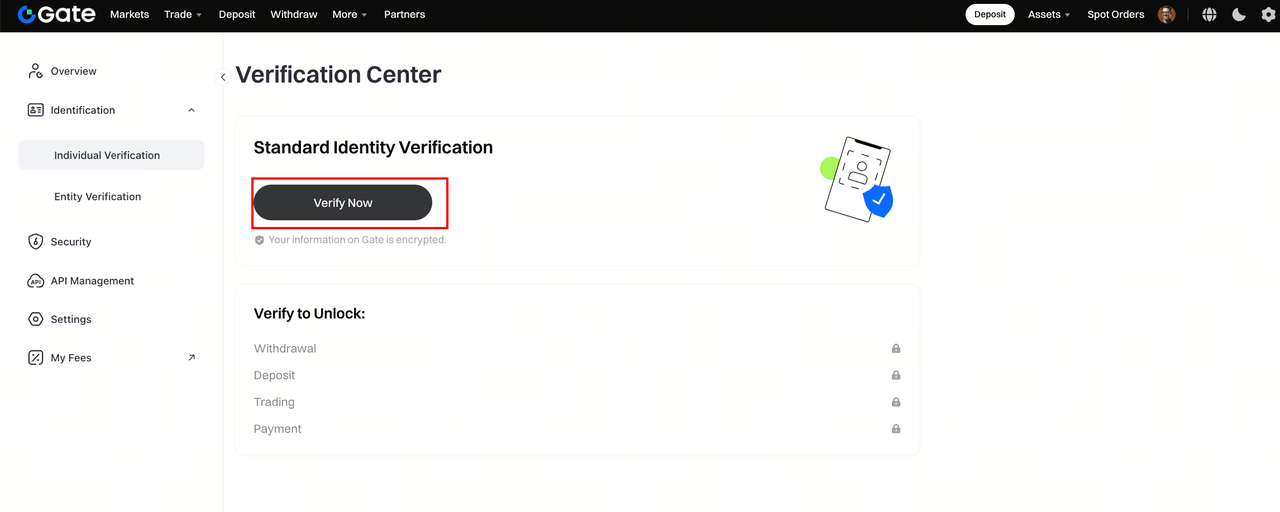
- Click [Verify Now] to begin the verification process.
Step 2: Complete Identity Document Verification
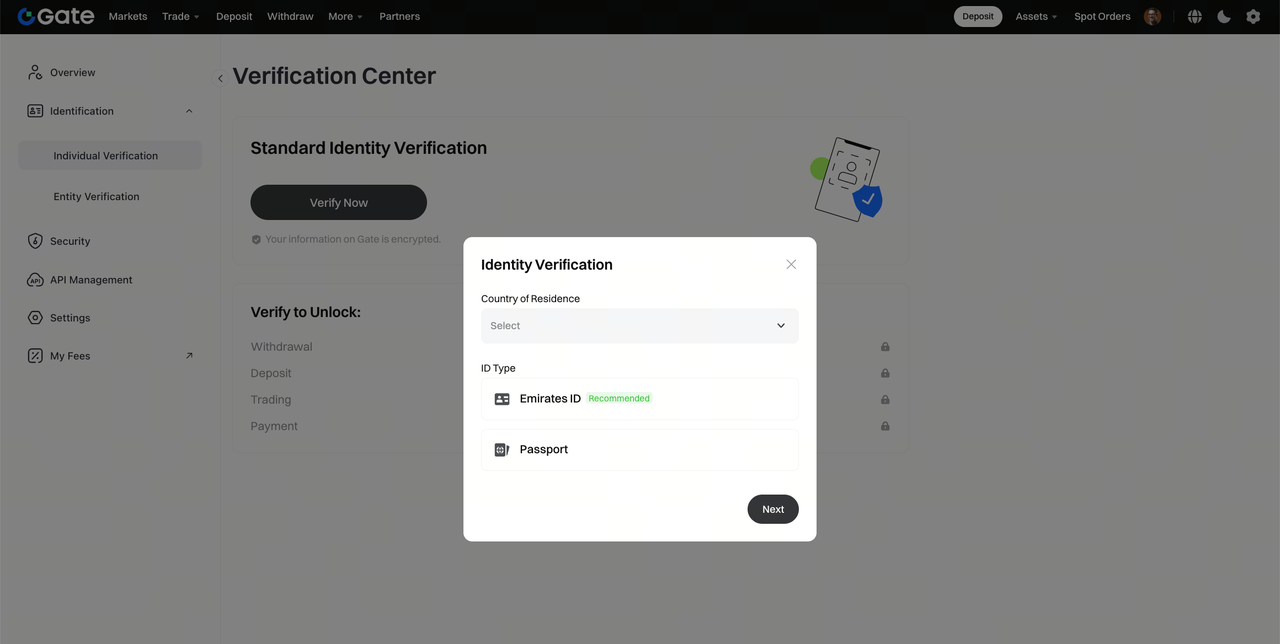
- Follow the on-screen instructions and fill in the required details:
- Country of residence
- ID Type
- You will be redirected to the identity verification page.
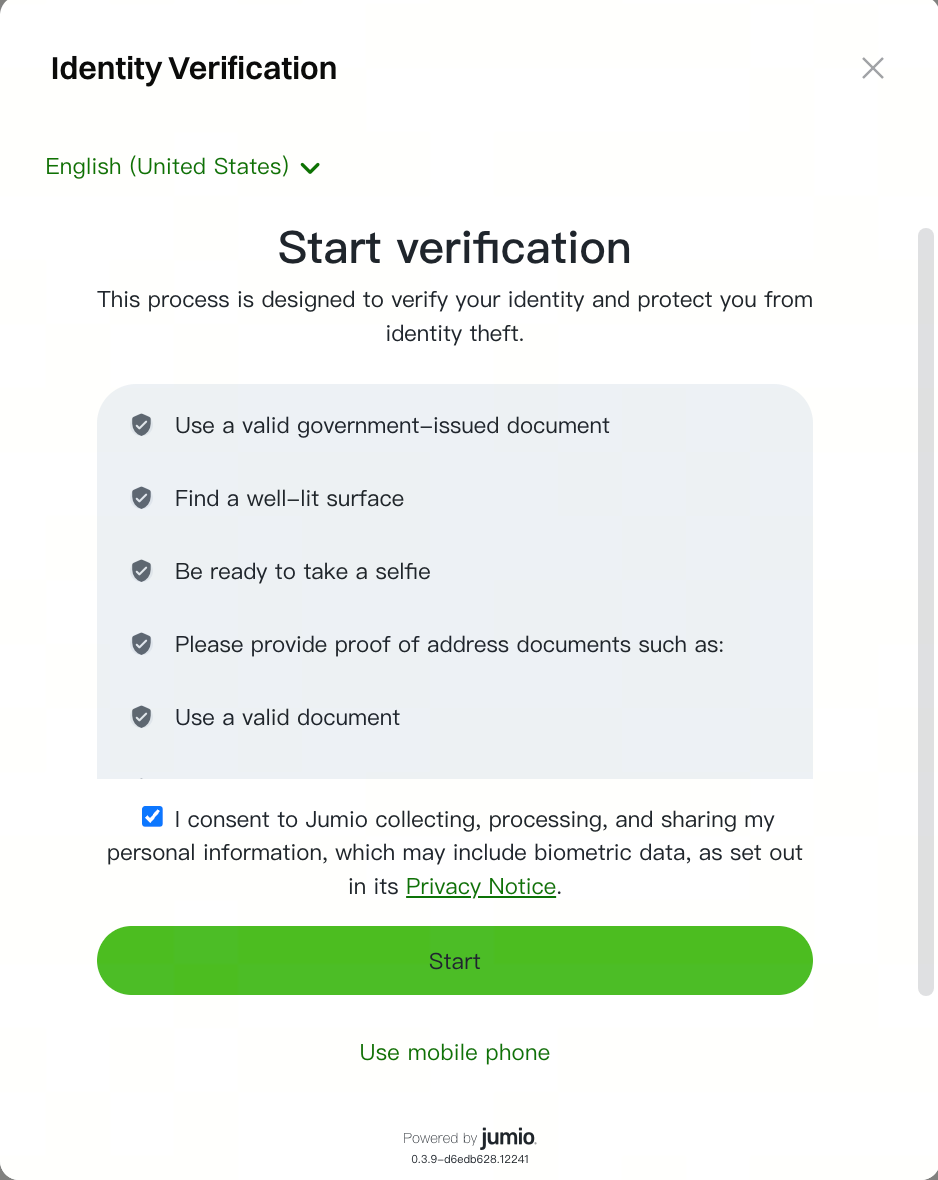
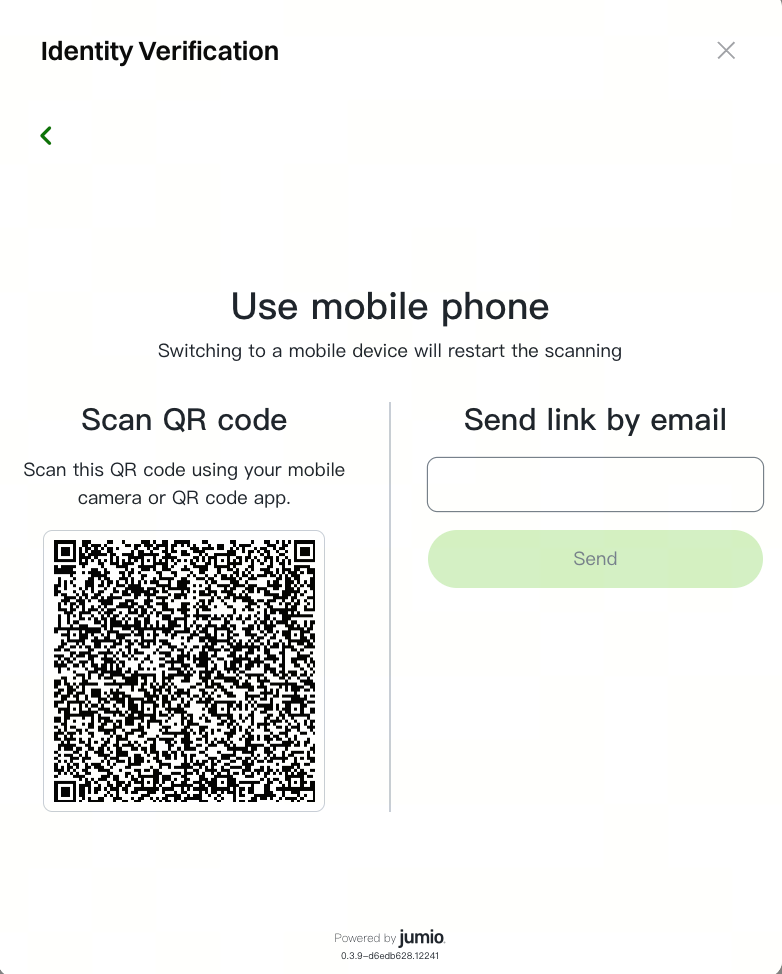
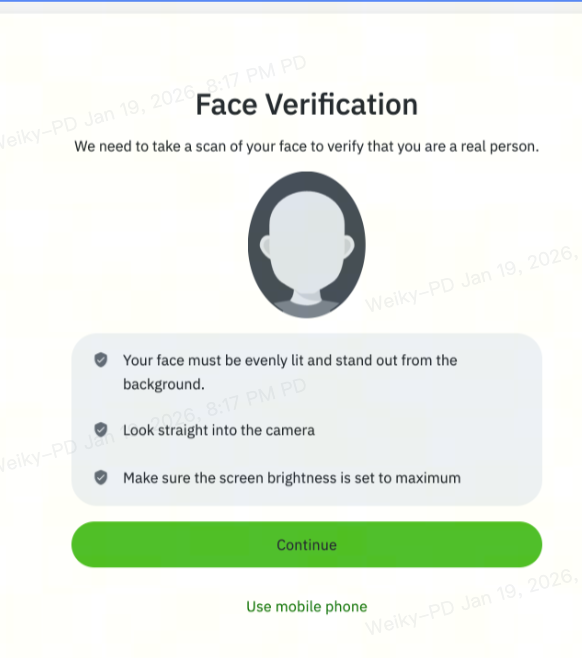
- Choose one of the following verification methods:
- [App QR Code] Verification[Web Facial Recognition Verification]
Step 3: Upload Proof of Address (POA)
To complete the verification process, upload a valid Proof of Address document.
Please upload a valid Proof of Address document (e.g., utility bill, bank statement, Ejari/rental agreement, or title deed) issued within the last 3 months.
Your document must:
- Be a full, original PDF (all pages included).
- Be clearly legible, showing your full name, residential address, issue date, and the issuer's logo.
- Be unaltered and not cropped.
- Not be a screenshot or photo of a digital screen.
(Note: Screenshots, edited, incomplete, or unsupported documents (e.g., ID cards or passports) will be rejected.)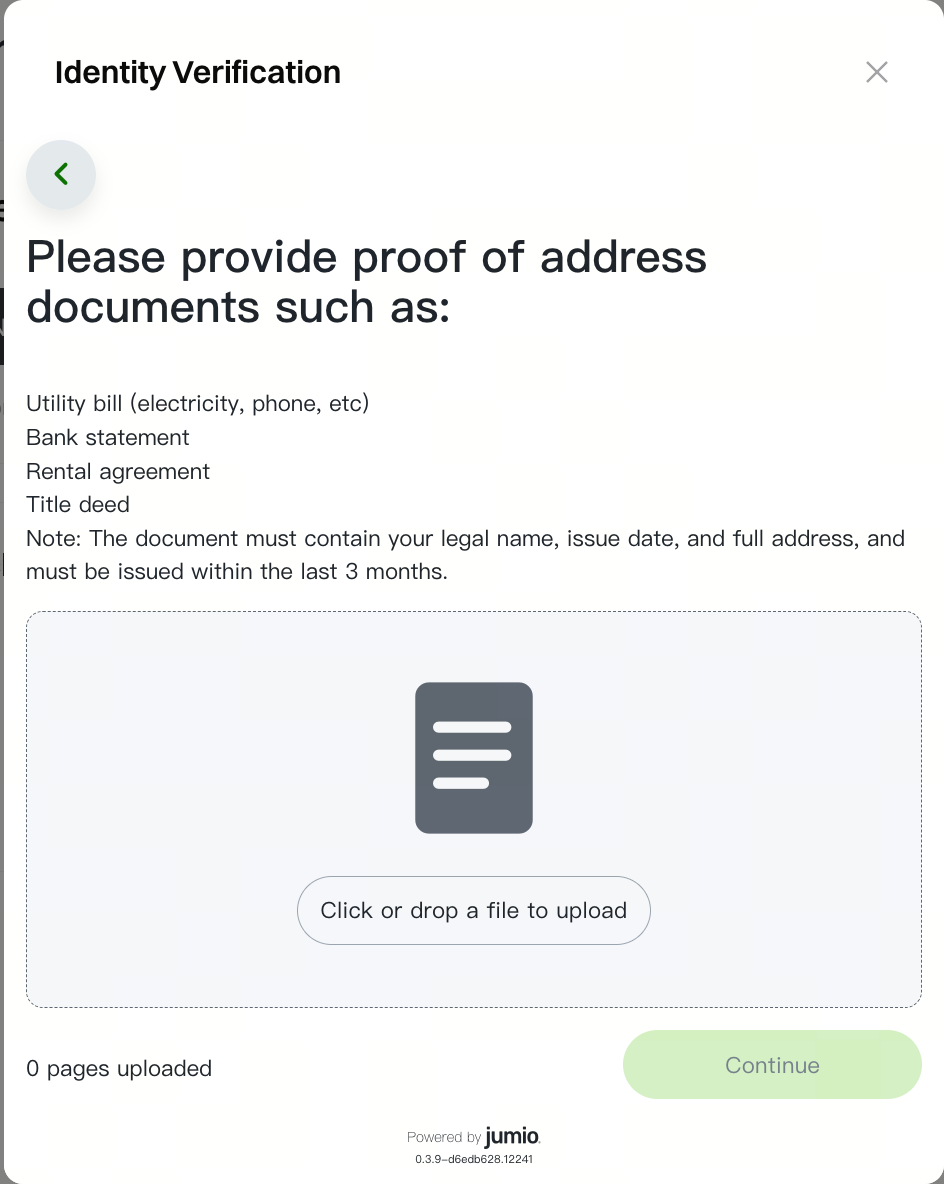
Step 4: Confirm and Continue
Review all submitted information carefully and click [Continue] to proceed.
Step 5: Complete Personal Information
Once your identity verification is approved, you will be directed to the Personal Information section.
Please complete the required information, including:
- First Name
- Middle Name (Optional)
- Last Name
- Gender
- Date of Birth
- Nationality
- Country of Birth
- Phone Number
Step 6: Address Information
Once your Personal Information is completed, you will be directed to the Address Information section.
Please complete the required information, including:
- Apartment/Villa No. and Building/Community Name
- Street Address and Area
- City
- Postal Code (Optional)
Step 7: Please verify your identity
Once your Address Information is completed, you will be directed to the Address Information section.
- Identification Document Type
- Document Number
Step 8: Financial Information
- Status of Employment
- Annual Income
- Source of Fund (Multi-choice)
- Investment Objective
Make sure all information provided is accurate and matches your submitted documents.
Click [Next] to continue through each section.
Notes
- KYC identity verification is mandatory for all Gate users to deposit and withdraw cryptocurrencies, trade fiat currencies.
- The basic information you provide must exactly match your ID document.
- Ensure your ID document is valid and not expired.
- The verification process helps ensure asset security and regulatory compliance while reducing fraud, money laundering, and other illegal activities.
- Once your verification has been reviewed, the result will be communicated to you via email.
If you have any questions or require assistance, please contact Gate Customer Support at:
support_dubai@gate.com
Disclaimer
This page may refer to products, services, or features that are not offered by Gate Dubai. Such content is for general information purposes only and does not constitute, and shall not be construed as, an offer or solicitation by Gate Dubai. Gate Dubai users should rely only on products and services expressly made available on the Gate Dubai platform.
